|
Java Networ <Home> |
|---|
We'll cover networking with Java. Don't worry if you're not familiar with networking - this will be only a brief introduction. We'll examine some of the classes in the java.net package, and show you how to write a simple network client in Java. First, however, we need to cover some background theory.
The Internet is composed of millions of computers, located all across the globe, communicating and transmitting information over a variety of computing systems, platforms, and networking equipment. Each of these computers (unless they are connecting via an intranet) will have a unique IP address.
IP addresses are 32-bit numbers, containing four octets (8 bit numbers) separated by a full stop. Each computer with a direct internet connection will have a unique IP address, (e.g. 207.68.156.61). Some computers have temporary addresses, such as when you connect to your ISP through a modem. Others have permanent addresses, and some even have their own unique domain names (e.g.www.Google.com).
An IP address allows us to uniquely identify a device or system connected to the Internet. If I wanted to connect to a specific IP address, and send a message, I could do so. Without an IP address, my message would have no way of reaching its destination - a bit like leaving the address off a letter or parcel.
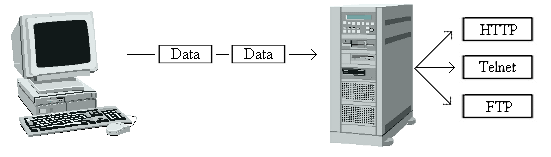
Often, computers connected to the Internet provide services. This page is provided by a web server, for example. Because computers are capable of providing more than one type of service, we need a way to uniquely identify each service. Like an IP address, we use a number. We call this number a port. Common services (such as HTTP, FTP, Telnet, SMTP) have well known port numbers. For example, most web servers use port 80. Of course, you can use any port you like - there's no rule that says you must use 80.
There are several communications mechanisms that we can use to provide network services. We could use UDP (unreliable datagram protocol), or TCP (transfer-control protocol). For the purposes of this tutorial, we'll choose TCP, because it makes life much easier. TCP guarantees that messages will arrive at their destination. UDP is unreliable, and your application isn't notified if the message is lost in transit. Also, many protocols (such as HTTP, SMTP, POP & FTP) use TCP, so it's important that you are familiar with it for networking in Java.